
A guided flow from station choice to return.
The PaddlePoint Web App handles the rental — booking, pickup, return and close. You handle the paddle.
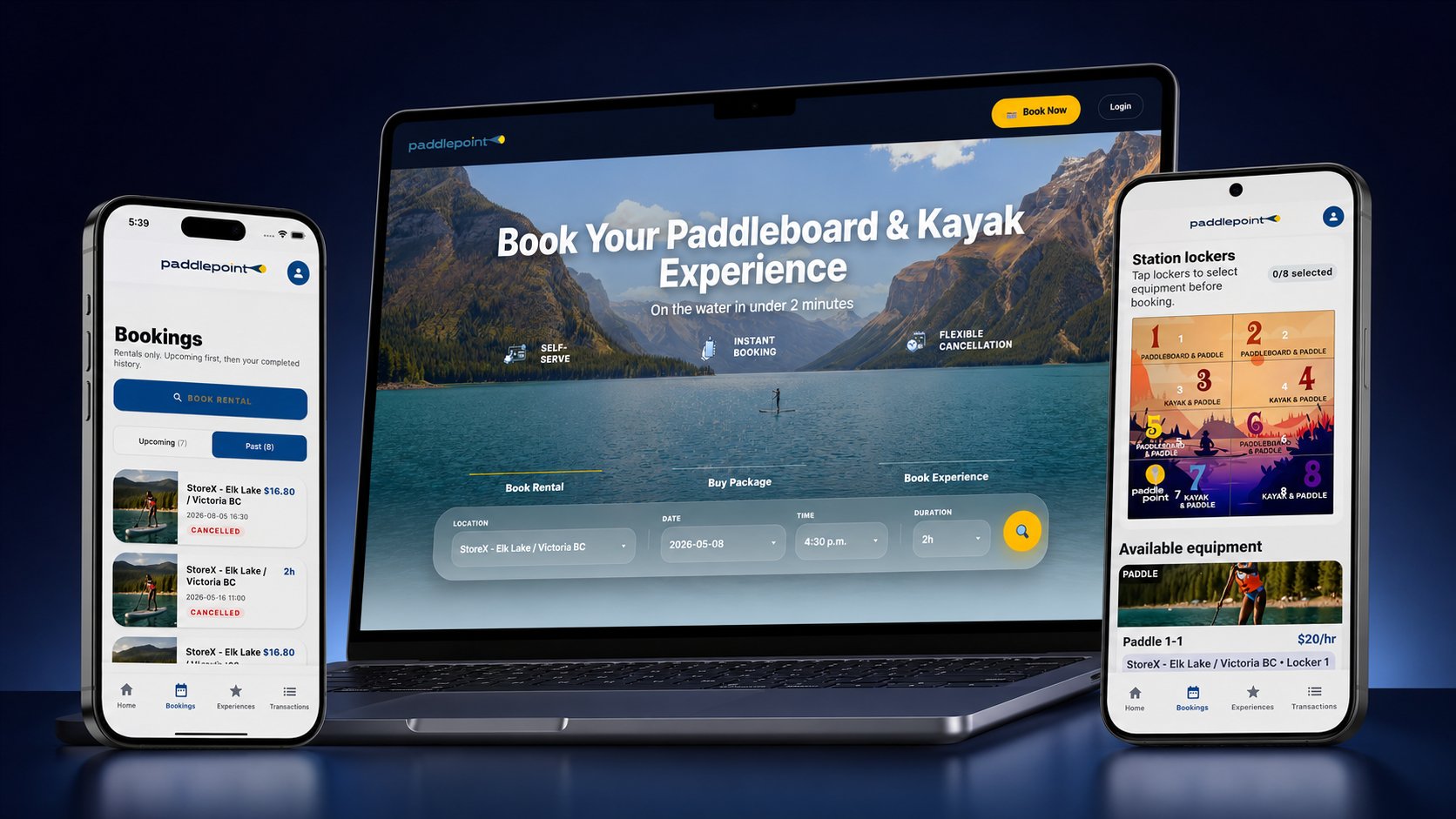
Paddler moments that matter
Choose
Compare station, equipment, time, duration and the type of day the paddler wants.
Reserve
See price, hold, cancellation and weather handling before payment.
Sign
Complete waiver requirements before station access is available.
Arrive
Use station pages plus protected booking instructions after confirmation.
Use
Open the booking portal for access window, support and session context.
Return
Close the rental, report issues and keep the account ready for the next session.
The app should feel like a guide, not a control panel
The paddler chooses by location, gear and confidence, not by backend terms.
Payment and waiver are handled before access appears.
The active booking becomes the single place for access, support and return.
Return proof and issue reporting make the end of the experience explicit.
Paddler features that carry the booking
Manage bookings
Cancel, reschedule, extend or review a booking from the paddler account.
Wind and weather
Station weather context helps paddlers decide before they leave for the water.
Packages
Multi-hour packages make repeat paddling easier across the PaddlePoint network.
Tours and lessons
Captain-led experiences can live beside self-serve rentals without confusing the station flow.
Wallet and receipts
Payment methods, credits, package balances and receipts stay visible after checkout.
Paddler confidence sequence
Choose
Compare Parksville Bayside, Crofton Osborne Bay or a future station with clear access and launch context.
Reserve
See price, security hold, included gear, cancellation or weather rules and support before payment.
Sign and pay
Complete checkout and the formal waiver before any station access action appears.
Use and return
Open the booking portal, follow locker and return instructions and contact support if something blocks the rental.
Paddler trust rules
No hidden friction
Price, hold, cancellation, weather, waiver timing and support appear before the paddler commits.
No public access secrets
The website explains access confidence while codes and live operational details stay protected.
Web path remains
Station CTAs keep web booking visible while mobile apps are prepared for store launch.